


Every protocol.
One window.
TCP, UDP, WebSocket and MQTT, all in the tabs of a single window. Colour-coded traffic, HEX editing, multicast groups, visible handshakes — a network bench built for macOS.
macOS 13+ · Works offline · No account
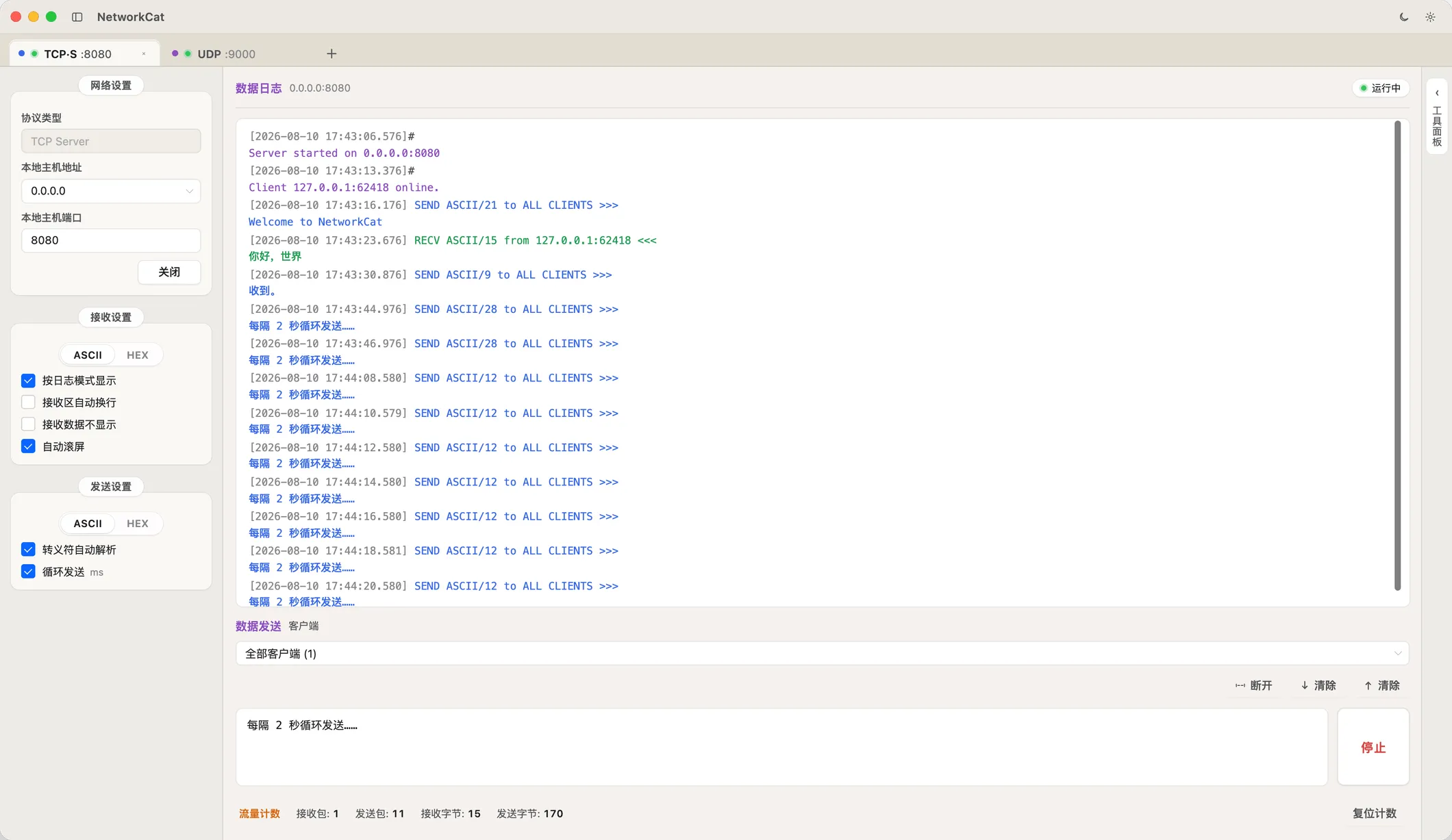
01 Sessions in tabs
TCP and UDP at once,
not two apps
Every tab is its own session: a colour dot for the protocol, a status light for what is running. Network, receive and send settings are kept per session — switch and you are there.
- TCP Server / Client · A TCP server sends to one connected client or all of them, from a dropdown
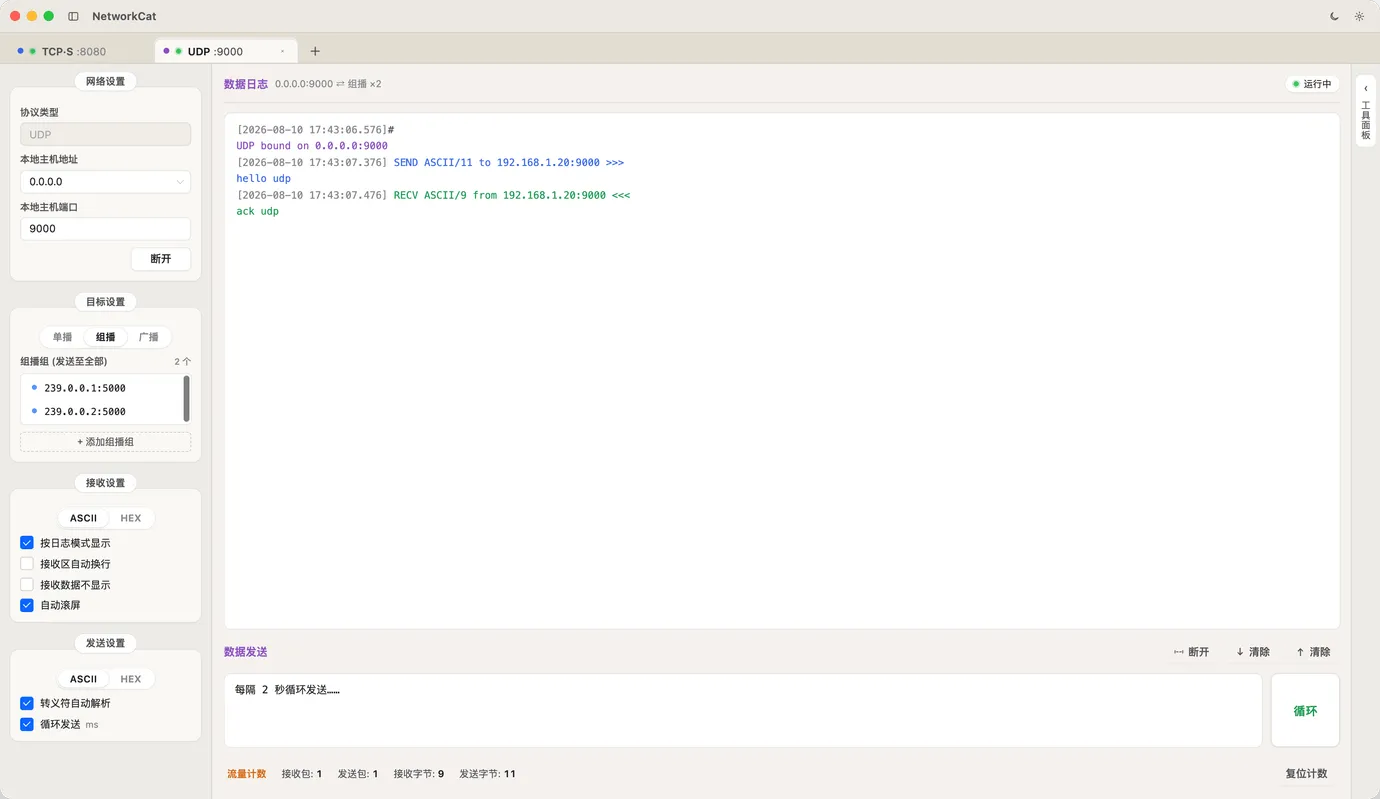
- UDP Unicast / multicast / broadcast · Manage several multicast groups and send to all of them at once
- TAB Sessions persist · Network, receive and send settings stay with the tab across restarts
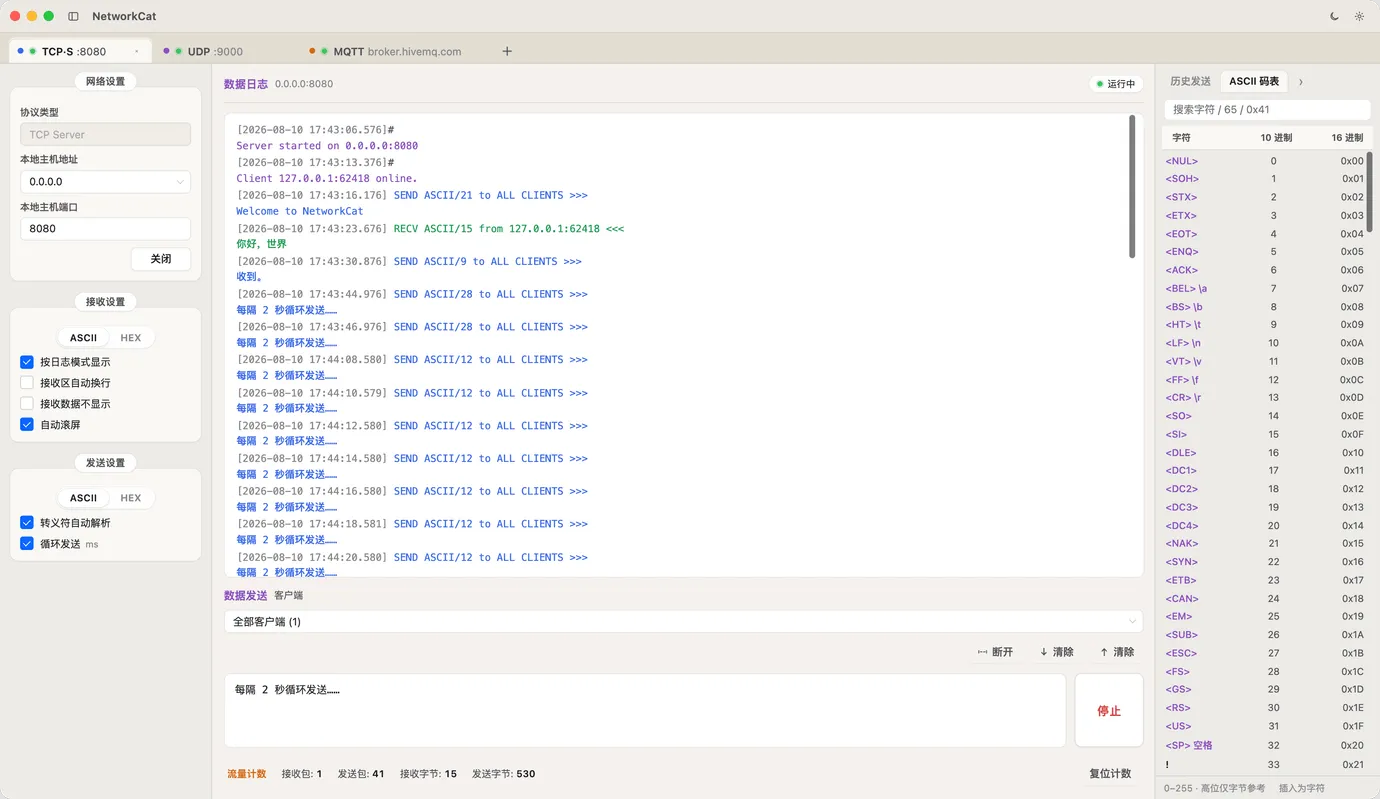
02 Protocol-level debugging
See the handshake,
edit the bytes
WebSocket handshake requests and responses land in the log line by line, full headers included. The send box takes ASCII or HEX, and HEX is auto-formatted into uppercase byte pairs.
- WS ws / wss · Custom headers, plus a /ping and /pong command mode
- HEX Complete history · Sent, received and system lines kept for good — search, filter, click for detail
- 0xFF ASCII table · All 0–255, searchable and insertable, control codes show their escape
03 MQTT & WebSocket server
Subscribe to a topic,
listen to a crowd
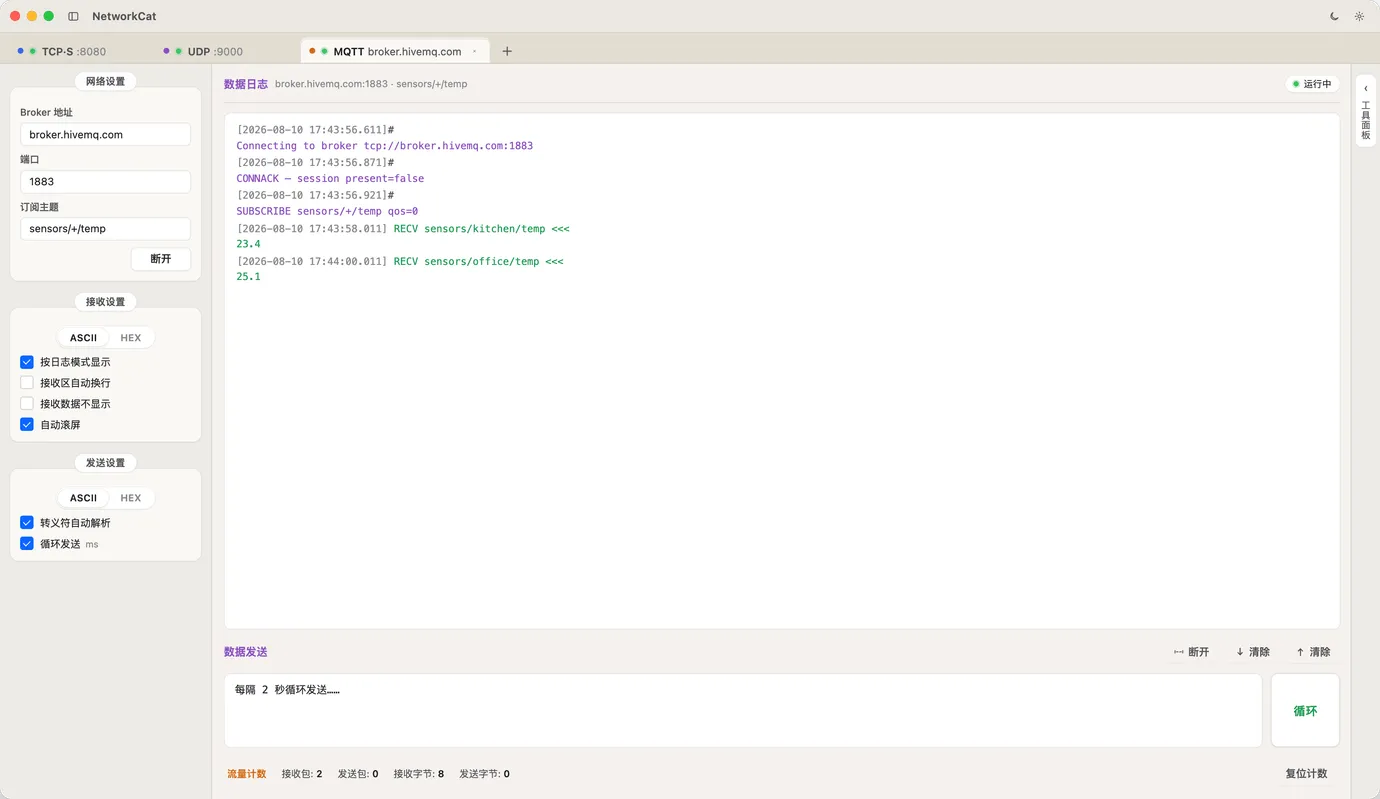
The MQTT client talks straight to a broker — 3.1.1 and 5.0, over mqtt, mqtts, ws or wss — with CONNACK, SUBSCRIBE and every message in the colour-coded log. The WebSocket server listens for connections and sends to one client or all.
- MQTT Subscribe & publish · Wildcards on subscriptions, QoS and RETAIN set per message
- WS·S WebSocket server · Listen for ws connections and manage many clients
- LOG One log language throughout · System purple, sent blue, received green — nothing new to learn
- sensors/+/temp
- CONNACK
- qos=0
- ws://0.0.0.0:8080
Start debugging
Put the network lab in one window
Free · No sign-up · Works offline
Download on the Mac App Store