


Bank rates · Trend charts · Converter
See the rate.
Know the amount.
Bank of China rates and history for 40+ currencies: switch between all four quotes — spot and cash, buying and selling — star the currencies you follow, and see the converted amount as you type.
iOS 17+ / Android 7+Free · No sign-up
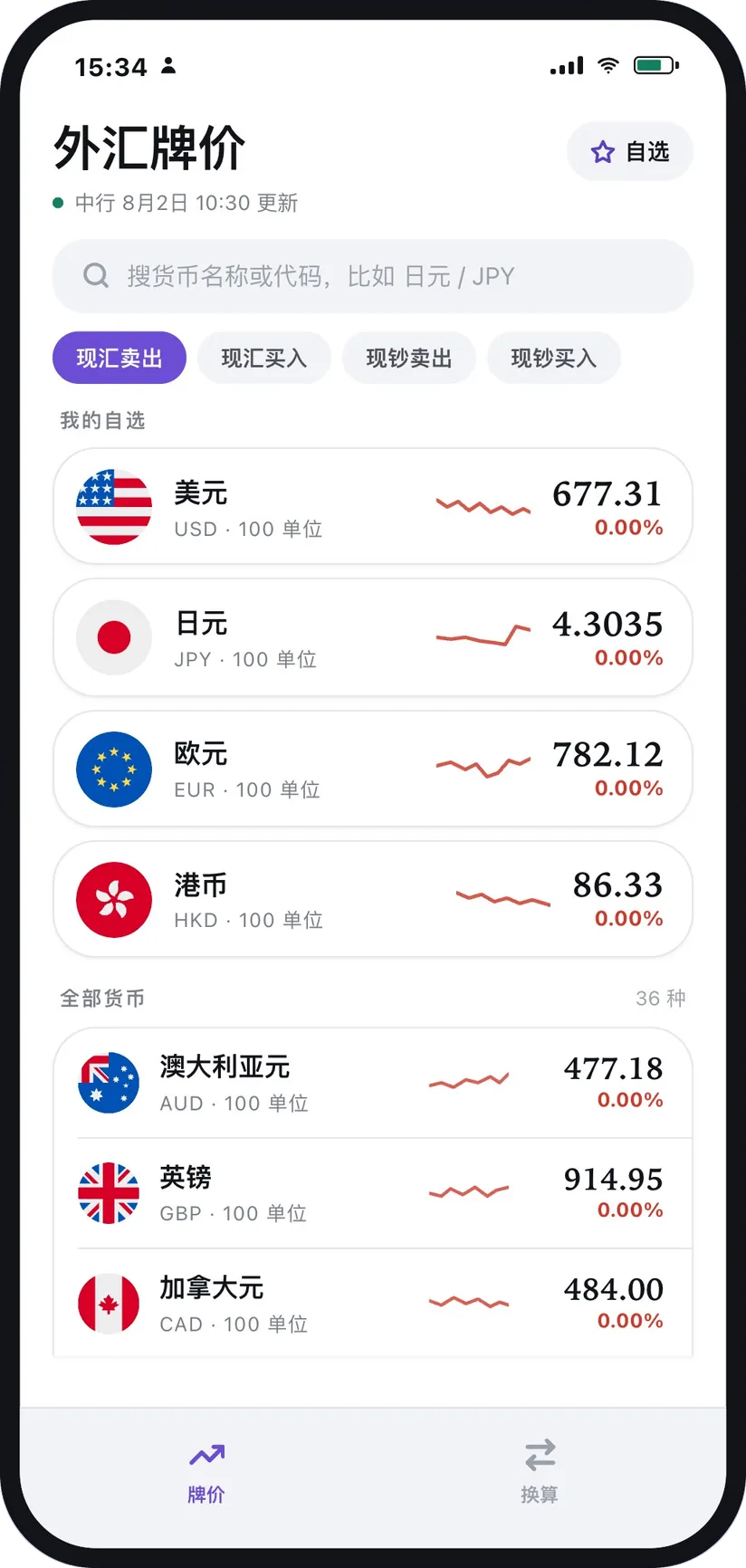
01 Rate list
Forty-odd currencies,
yours on top
The rate list is the home screen: flag, currency, latest rate, sparkline and daily change all on one row, gains and losses colour-coded. Starred currencies always sit above the rest.
- PIN Star to pin · Keep the currencies you follow at the top, reorder them any time
- CHG Colour-coded change · Movement against the previous trading day’s middle rate
- FIND Instant search · By name or ISO code — “Japanese yen” and “JPY” both land it
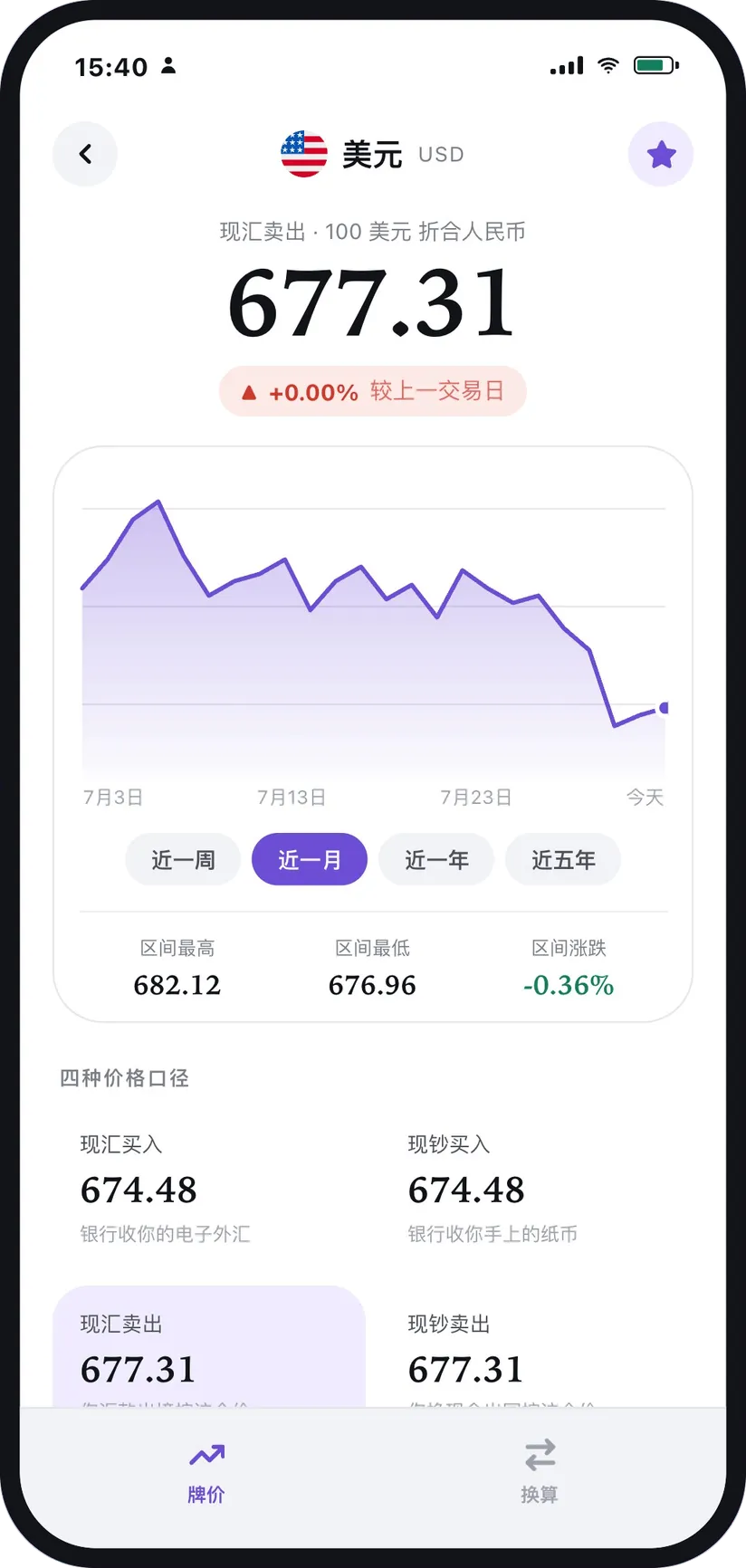
02 Trends
A week to five years,
every quote compared
Tap any currency for its chart: switch between one week, one month, one year and five years, compare all four quotes — spot buying, spot selling, cash buying and cash selling — and read the high, low and change for the range.
- Four time ranges
- Four quote types
- Range high, low & change
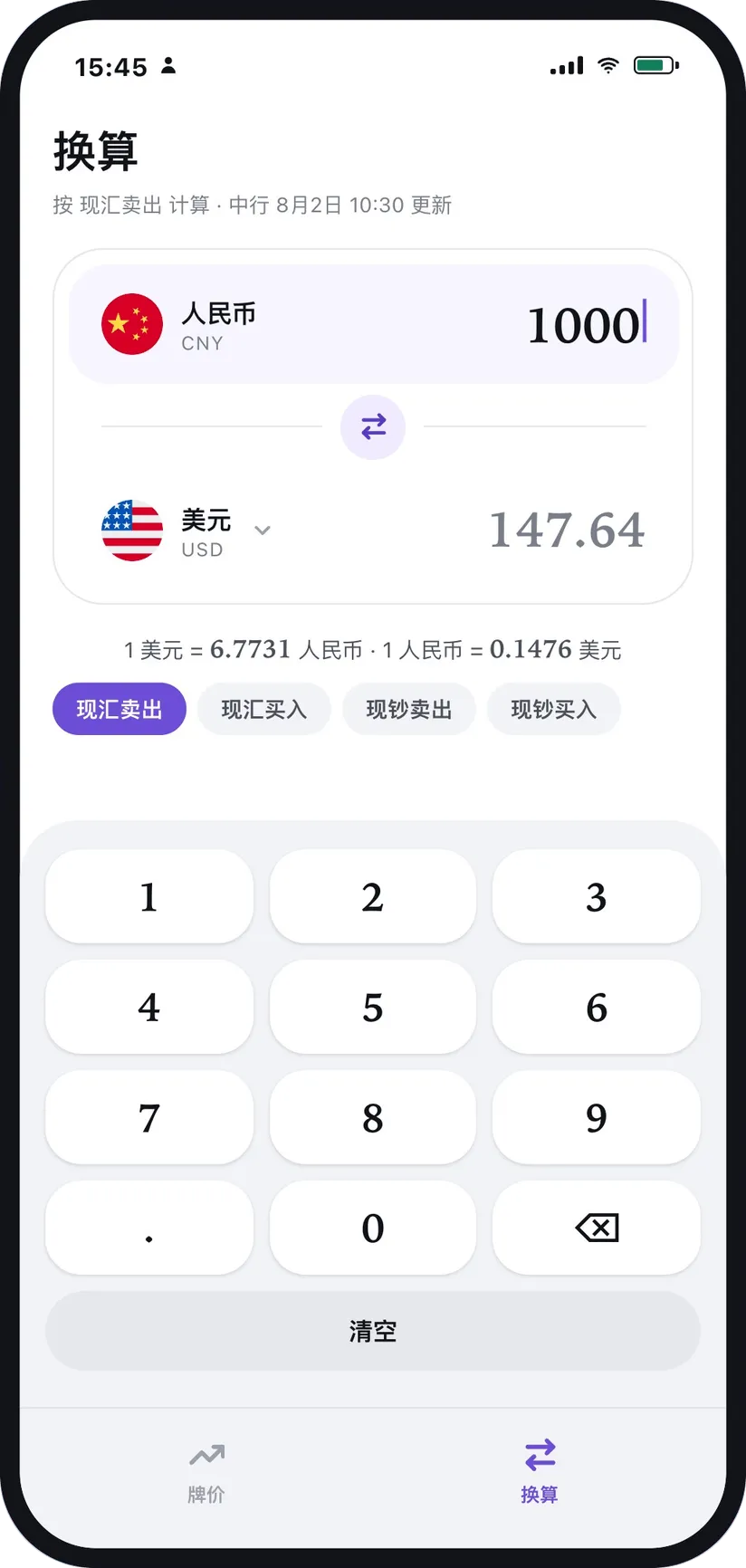
03 Converter
Type the amount, get the answer
Conversions at Bank of China rates: the built-in keypad computes as you type, either side can be the one you enter, and the quote type and currency change whenever you need them.
- CALC Live result · It works out as you type — no equals key
- BOTH Either direction · Type on either side; the other one follows
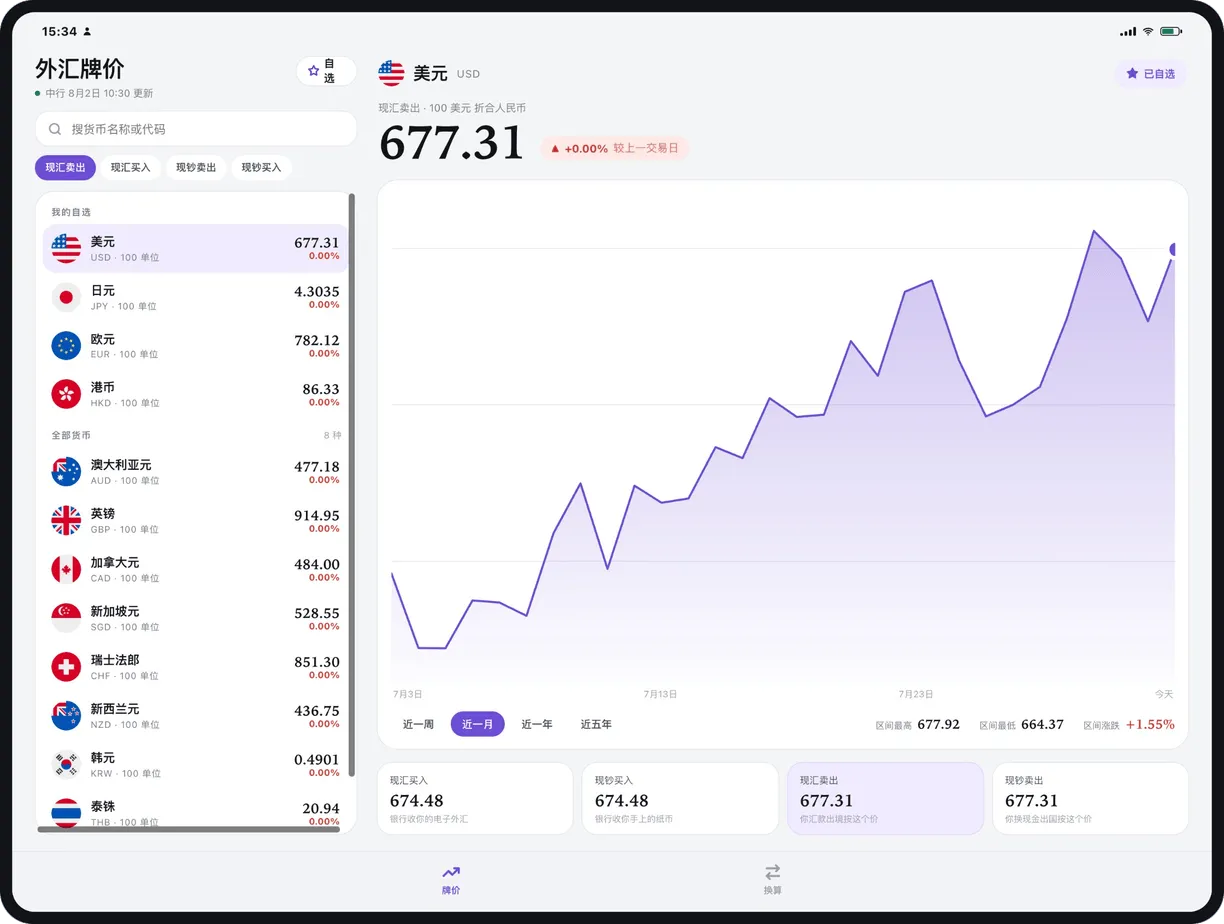
04 Tablet
Two columns on a big screen: list left, chart right
A split layout made for iPad and Android tablets — the rate list on the left, the chart and detail on the right; the converter and your starred list each get a page of their own.
Check it, convert it
Put today’s rates in your pocket
Free · No sign-up · Updated every trading day